Version 2.2 — © 1997-1999 Christian Cohnen
The idea for ImageFader goes back to the Atari ST days: In STOS (The Game Creator) these effects were called Wipes or Fades and were commonly used to switch between the title screen and the actual game — image transitions that plain ST-BASIC completely lacked, and the pride of every hobby developer. The first Java version was written in 1997, and the core concept remained the same: A grayscale image — the fade map — determines the order in which pixels transition. A simple gradient produces a wipe, a noisy texture creates a dissolve. The fade maps were created in Photoshop, which made things much easier than the old days of Deluxe Paint or having to generate transitions algorithmically.
With the blend parameter, images cross-fade directly into each other instead of going through black.
Each image can have its own speed and hold time, and smooth controls how soft or hard the transition edge appears.
Rendering is done in 24-bit RGB — GIF and JPG images work equally well.
The original applet ran in real time with just a few kilobytes of bytecode. Since browsers no longer support Java applets, here is a screen recording instead — ironic that it takes orders of magnitude more bandwidth to show what a 1997 JVM could do live.
| Name | Type | Description | Default | Required |
|---|---|---|---|---|
image1…image10 | filename | Images to cycle through (GIF or JPG) | – | yes (at least 1) |
fade | filename | Grayscale image that controls the transition shape | – | yes |
speed | int | Global transition speed (ms per step) | 1000 | no |
speed1…speed10 | int | Per-image transition speed override | global speed | no |
wait | int | Global hold time between transitions (ms) | 1000 | no |
wait1…wait10 | int | Per-image hold time override | global wait | no |
smooth | int | Transition smoothness — higher values create softer edges | 400 | no |
blend | – | Enable cross-fade between images (presence enables it) | off | no |
link | URL | Link target when applet is clicked | – | no |
targetWindow | String | Target window for link (_blank, _parent, etc.) | _self | no |
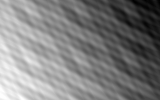
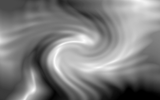
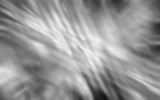
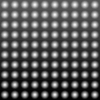
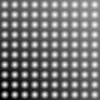
The fade map is a grayscale image that determines the order in which pixels transition. Brighter pixels appear first. Here are some included examples:
<applet archive="ImageFader.jar"
  code="ImageFader.class" width="160" height="100">
  <param name="image1" value="oil.gif">
  <param name="image2" value="logo2.gif">
  <param name="image3" value="texture.gif">
  <param name="fade" value="fade.gif">
  <param name="blend">
  <param name="speed" value="200">
  <param name="wait" value="20">
  <param name="smooth" value="500">
  <param name="link" value="https://www.chriscohnen.de">
</applet>| Version | Date | Changes |
|---|---|---|
| 1.0 | April 1997 | First version |
| 2.0 | October 1999 | Fade-map-based transitions |
| 2.1 | 2004 | Image sizing, per-image fading times, target window |
| 2.2 | – | URL fix, improved error handling during resource loading |